
Technology plays a critical role in how modern businesses operate. From managing customer relationships and processing payments to communicating with teams and protecting important data, the right technology systems help businesses run efficiently.
However, many businesses continue using outdated tools and systems long after they stop supporting growth. Older technology may seem comfortable because employees are familiar with it, but it can create hidden costs through lost productivity, security problems, and missed opportunities.
Knowing when to upgrade your business technology is essential. The goal is not to adopt every new tool available—it is to identify when your current systems are slowing your business down.
Here are five common signs that your business technology needs an upgrade.
1. Your Systems Are Slow, Unreliable, or Constantly Causing Problems

One of the clearest signs that technology needs attention is frequent performance issues.
If employees regularly experience slow applications, system crashes, or delays when accessing important information, your technology may no longer be able to support your business needs.
Common warning signs include:
- Programs taking too long to open
- Frequent system errors
- Slow file access
- Devices running poorly
- Unexpected downtime
- Employees creating workarounds to avoid technology problems
Small delays can add up quickly. If employees spend several minutes every day waiting for systems to load or troubleshooting problems, the impact on productivity can become significant over time.
Technology should make work easier, not create additional obstacles.
Why Slow Systems Hurt Business Growth
Outdated systems can affect more than employee productivity. They can also impact customer service.
For example:
- Slow customer management software can delay responses
- Outdated payment systems can create transaction problems
- Inefficient workflows can increase operating costs
When technology becomes a barrier instead of a solution, it is time to evaluate whether an upgrade is needed.
2. Your Website Is Slow, Outdated, or Difficult to Use
Your website is often the first interaction customers have with your business. If it looks outdated, loads slowly, or does not work properly on mobile devices, it can affect customer trust.
A modern website should be:
- Fast and responsive
- Easy to navigate
- Mobile-friendly
- Secure
- Simple for customers to use
Signs your website may need an upgrade include:
- Pages load slowly
- Customers struggle to find information
- The design looks outdated
- Forms or features no longer work correctly
- The website does not display properly on smartphones
- Search rankings are declining
A poor website experience can cause potential customers to leave before contacting your business.
Website Performance Is a Business Issue
Many business owners view website improvements as a design project, but performance and usability directly affect revenue.
A faster, easier-to-use website can help:
- Increase customer engagement
- Generate more inquiries
- Improve online credibility
- Support marketing efforts
Your website should actively support your business goals, not hold them back.
3. Your Business Faces Increasing Security Risks
Cybersecurity is one of the most important reasons to upgrade business technology.
Older systems often lack modern security features, making them more vulnerable to threats such as data breaches, malware, and unauthorized access.
Security warning signs include:
- Software that no longer receives updates
- Outdated devices
- Weak password practices
- Lack of data backups
- Employees sharing login information
- No clear security procedures
A security issue can damage customer trust and disrupt daily operations.
Why Outdated Technology Creates Security Problems
Technology providers regularly release updates to fix vulnerabilities and improve protection. When businesses continue using outdated systems, they may miss important security improvements.
A strong technology environment should include:
- Regular software updates
- Secure authentication methods
- Data backup systems
- Employee security training
- Access controls for sensitive information
Security should be built into everyday operations, not treated as an emergency response.
4. Your Team Uses Too Many Manual Processes
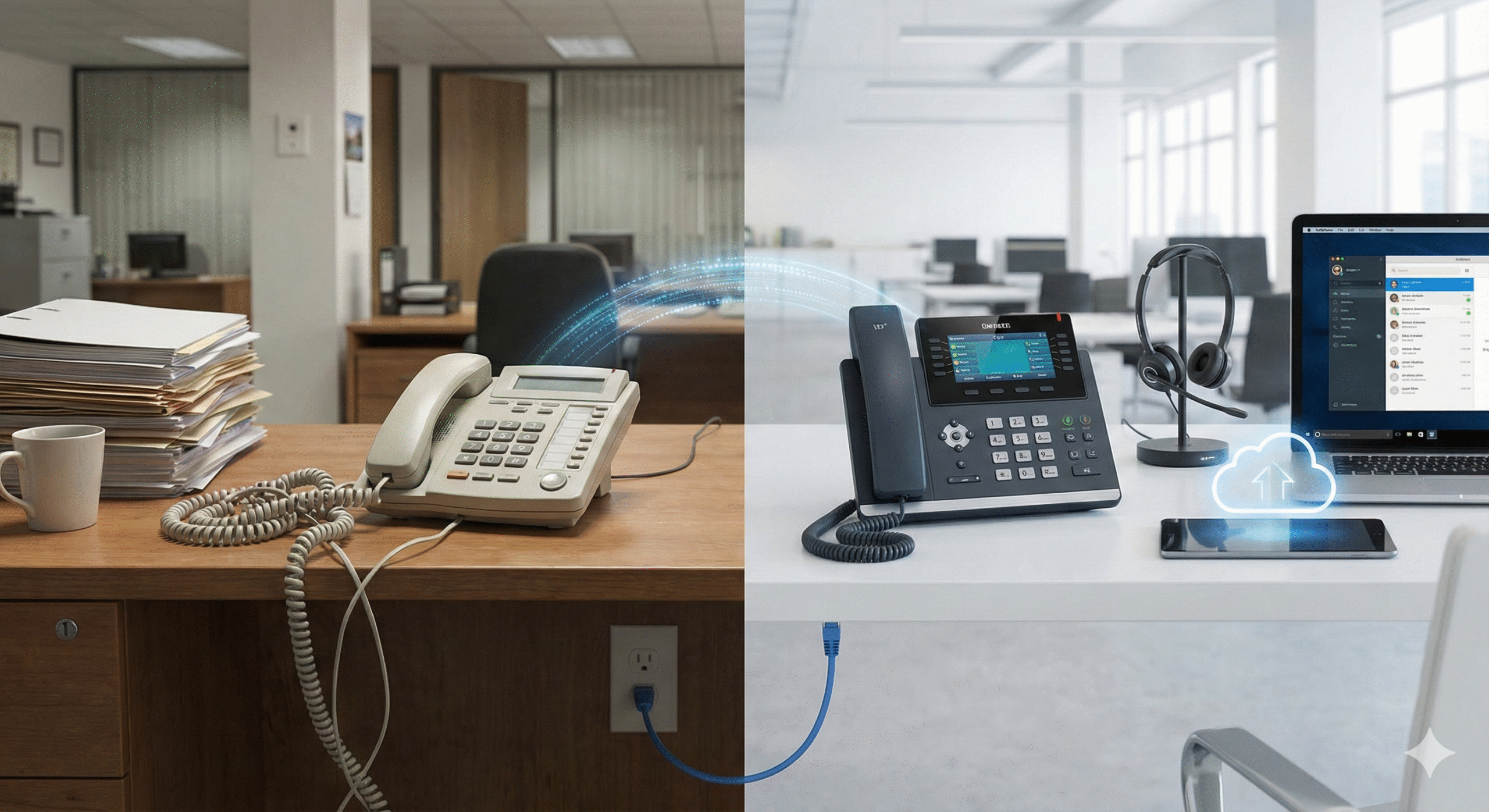
Many businesses rely on manual tasks because they have always been done that way. However, repetitive processes can waste valuable time and increase the chance of mistakes.
Examples of inefficient processes include:
- Manually entering customer information
- Creating invoices by hand
- Copying data between systems
- Sending repetitive emails individually
- Tracking projects through spreadsheets only
If employees spend too much time on routine administrative work, technology upgrades may help.
How Automation Improves Efficiency
Modern business tools can automate many repetitive tasks, allowing employees to focus on higher-value activities.
Automation can help with:
- Customer follow-ups
- Appointment scheduling
- Reporting
- Inventory management
- Document organization
- Internal communication
The goal of automation is not to replace people. It is to remove unnecessary tasks and help teams work more effectively.
5. Your Technology Cannot Support Business Growth
Technology that works for a small business today may not support future expansion.
As a company grows, it may need:
- More storage capacity
- Better collaboration tools
- Improved customer management systems
- Stronger reporting capabilities
- More reliable security solutions
If your current systems make growth difficult, an upgrade may be necessary.
Warning signs include:
- Adding employees creates technology challenges
- Systems cannot handle more customers
- Data is difficult to organize
- Teams cannot collaborate effectively
- New opportunities are limited by existing tools
A good technology foundation should grow with your business.
How to Plan a Technology Upgrade Without Disrupting Operations
Upgrading technology does not mean replacing everything at once. A thoughtful approach can reduce costs and minimize disruption.
Follow these steps:
1. Identify Current Problems
Start by reviewing the technology issues affecting your business.
Ask:
- What slows employees down?
- Which systems create frustration?
- Where do mistakes happen most often?
- What customer experiences need improvement?
2. Prioritize Important Upgrades
Not every system needs to change immediately.
Focus first on areas that have the biggest impact, such as:
- Security improvements
- Website performance
- Critical business applications
- Communication tools
3. Choose Scalable Solutions
Select technology that can support your future goals.
Avoid solutions that only solve today’s problems but create limitations later.
4. Train Your Team
Successful technology upgrades depend on employee adoption.
Provide:
- Clear instructions
- Training opportunities
- Time to adjust
- Ongoing support
A great tool only creates value when people know how to use it.
Turning Technology Challenges Into Opportunities
Outdated technology is not just a technical problem—it can affect productivity, customer satisfaction, and business growth.
Recognizing the warning signs early allows business owners to make improvements before problems become expensive.
A technology upgrade can help businesses:
- Work more efficiently
- Improve customer experiences
- Strengthen security
- Reduce unnecessary costs
- Prepare for future growth
The right technology does not need to be complicated. It simply needs to support the way your business works today while creating opportunities for tomorrow.
By regularly reviewing your systems and making strategic upgrades, you can build a stronger, more reliable digital foundation that helps your business succeed.