
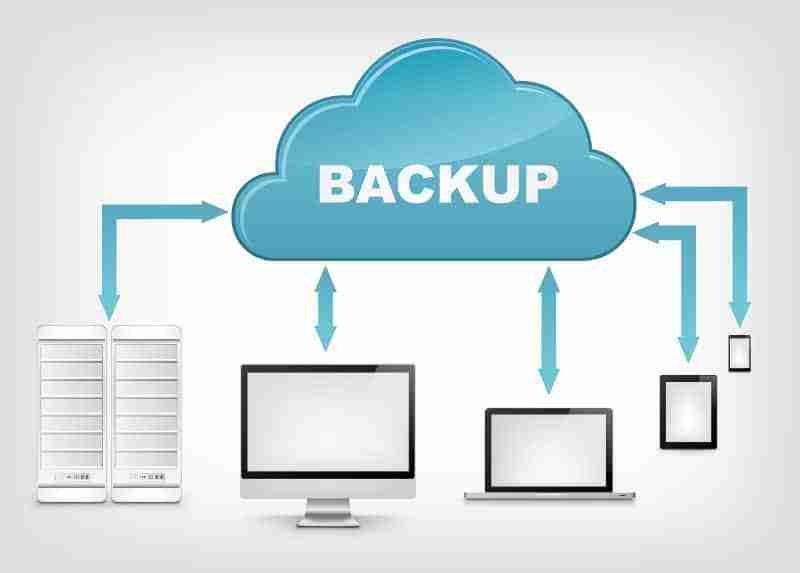
Data is one of the most valuable assets a business owns. Customer information, financial records, documents, product details, employee files, and operational data all play an important role in keeping a company running.
However, many businesses only think about data protection after something goes wrong. A cyberattack, hardware failure, accidental deletion, or system problem can quickly interrupt operations and create serious financial and reputational damage.
A reliable data backup strategy helps businesses recover important information and continue operating when unexpected problems occur.
Data backups are not just a technical task. They are a critical part of business continuity, risk management, and long-term success.
Why Data Loss Is a Serious Business Risk
Businesses rely on digital information every day. Losing access to important data can stop essential processes and prevent employees from completing their work.
Data loss can happen for many reasons, including:
- Hardware failures
- Cybersecurity attacks
- Accidental deletion
- Software errors
- Natural disasters
- Theft or physical damage
- Human mistakes
Even a small data loss event can create major problems.
For example, losing customer records may make it difficult to respond to clients. Losing financial documents can delay important business decisions. Losing website files can take an online business offline.
The impact is not only financial. Data loss can damage customer trust and create long recovery periods.
What Is a Data Backup?

A data backup is a copy of important information stored separately from the original data.
If the original files become unavailable, businesses can use the backup copy to restore information and continue operations.
A backup can protect:
- Business documents
- Customer databases
- Website files
- Emails
- Financial records
- Application data
- Employee information
The purpose of a backup is simple: create a safety net before problems occur.
A business without backups is depending on everything working perfectly at all times. A business with a backup strategy is prepared for unexpected events.
Understanding Different Types of Backups
Not all backups work the same way. Businesses can choose different methods depending on their needs, data volume, and recovery requirements.
Full Backups
A full backup creates a complete copy of all selected data.
Advantages:
- Easy to restore
- Provides complete data protection
- Simple to understand
Disadvantages:
- Requires more storage space
- Takes longer to complete
Full backups are often used as the foundation of a backup strategy.
Incremental Backups
Incremental backups only save changes made since the previous backup.
For example, if a document was updated after the last backup, only the new changes are saved.
Advantages:
- Faster backup process
- Requires less storage
- Efficient for regular backups
Disadvantages:
- Restoration may take longer because multiple backup sets may be needed
Differential Backups
Differential backups store changes made since the last full backup.
They provide a balance between full and incremental backups by making restoration simpler while reducing storage needs.
The 3-2-1 Backup Strategy

One of the most widely recommended approaches to data protection is the 3-2-1 backup strategy.
It means:
- 3 copies of your data
- 2 different storage types
- 1 copy stored in a separate location
This approach reduces the risk of losing everything from a single event.
For example:
- One copy on your primary system
- One copy on an external storage device
- One copy stored securely in the cloud
The idea is simple: never rely on a single copy of important information.
Cloud Backups: A Practical Solution for Modern Businesses
Cloud-based backups have become popular because they provide flexibility and convenience.
Instead of storing backups only on physical devices, businesses can securely store copies of their data online.
Benefits of cloud backups include:
- Automatic backup options
- Remote access
- Protection from physical damage
- Easy scalability
- Faster recovery options
Cloud backups are especially useful for small businesses that may not have dedicated IT teams or large technology budgets.
Creating a Practical Backup Schedule
A backup strategy is only effective if backups happen consistently.
The right schedule depends on how frequently business data changes.
Examples:
Daily Backups
Useful for businesses that regularly update important information, such as:
- Online stores
- Customer management systems
- Financial records
Weekly Backups
Suitable for businesses with less frequent data changes.
Real-Time Backups
Some systems automatically save changes as they happen, providing continuous protection.
Businesses should consider:
- How often data changes
- How much data can be lost without affecting operations
- How quickly information needs to be restored
What Is Disaster Recovery?
A backup protects your data. Disaster recovery helps restore your entire business operation after a serious disruption.
Disaster recovery includes the processes, tools, and plans needed to return systems to normal.
A disaster recovery plan answers important questions:
- What happens if systems go offline?
- Who is responsible for recovery?
- How quickly can operations restart?
- Which systems are most important?
- How will customers be informed?
Backups are one part of disaster recovery, but recovery planning goes further.
Building a Simple Disaster Recovery Plan
Small businesses do not need complicated plans. A practical disaster recovery strategy focuses on preparation and clear steps.
1. Identify Critical Business Data
Determine which information is essential for daily operations.
Examples include:
- Customer records
- Payment information
- Employee files
- Website data
- Business documents
Not all data has the same priority.
2. Define Recovery Goals
Businesses should decide:
Recovery Time Objective (RTO):
How quickly systems need to be restored.
Recovery Point Objective (RPO):
How much recent data loss is acceptable.
For example, a business that processes online orders may need faster recovery than a company that updates information less frequently.
3. Assign Responsibilities
Everyone should know their role during a disruption.
A recovery plan should identify:
- Who manages technical recovery
- Who communicates with employees
- Who contacts customers
- Who makes business decisions
Clear responsibilities reduce confusion during stressful situations.
4. Test Your Recovery Process
A backup is only useful if it can actually be restored.
Businesses should regularly test:
- Whether backups are complete
- Whether files can be recovered
- Whether recovery steps work properly
Testing helps identify problems before a real emergency happens.
Common Backup Mistakes Businesses Make

Even businesses that have backups can still face problems if their strategy is incomplete.
Keeping Only One Backup Copy
A single backup can fail or become damaged.
Multiple copies provide stronger protection.
Storing Backups in the Same Location
If a physical disaster affects the main business location, local backups may also be lost.
Separate storage locations reduce risk.
Never Testing Backups
A backup that cannot be restored is not reliable protection.
Regular testing confirms that recovery is possible.
Ignoring Security
Backups also need protection.
Businesses should use:
- Secure storage
- Access controls
- Strong passwords
- Encryption where appropriate
Protecting backup data is just as important as protecting original data.
How Data Protection Supports Business Growth
A strong backup and recovery strategy creates confidence.
Businesses with reliable data protection can:
- Recover faster from problems
- Reduce downtime
- Protect customer relationships
- Maintain operations during disruptions
- Make technology investments with greater confidence
Data protection allows businesses to focus on growth instead of constantly worrying about what could go wrong.
Protecting Your Business Before Problems Happen
Data loss is not a question of whether something can happen—it is a question of whether a business is prepared when it does.
A practical backup strategy does not need to be complicated. By creating multiple copies of important information, using reliable storage solutions, and preparing a recovery plan, businesses can reduce risks and recover more effectively.
Data backups are more than a technology solution. They are a business protection strategy that helps keep operations running, customers supported, and valuable information safe.